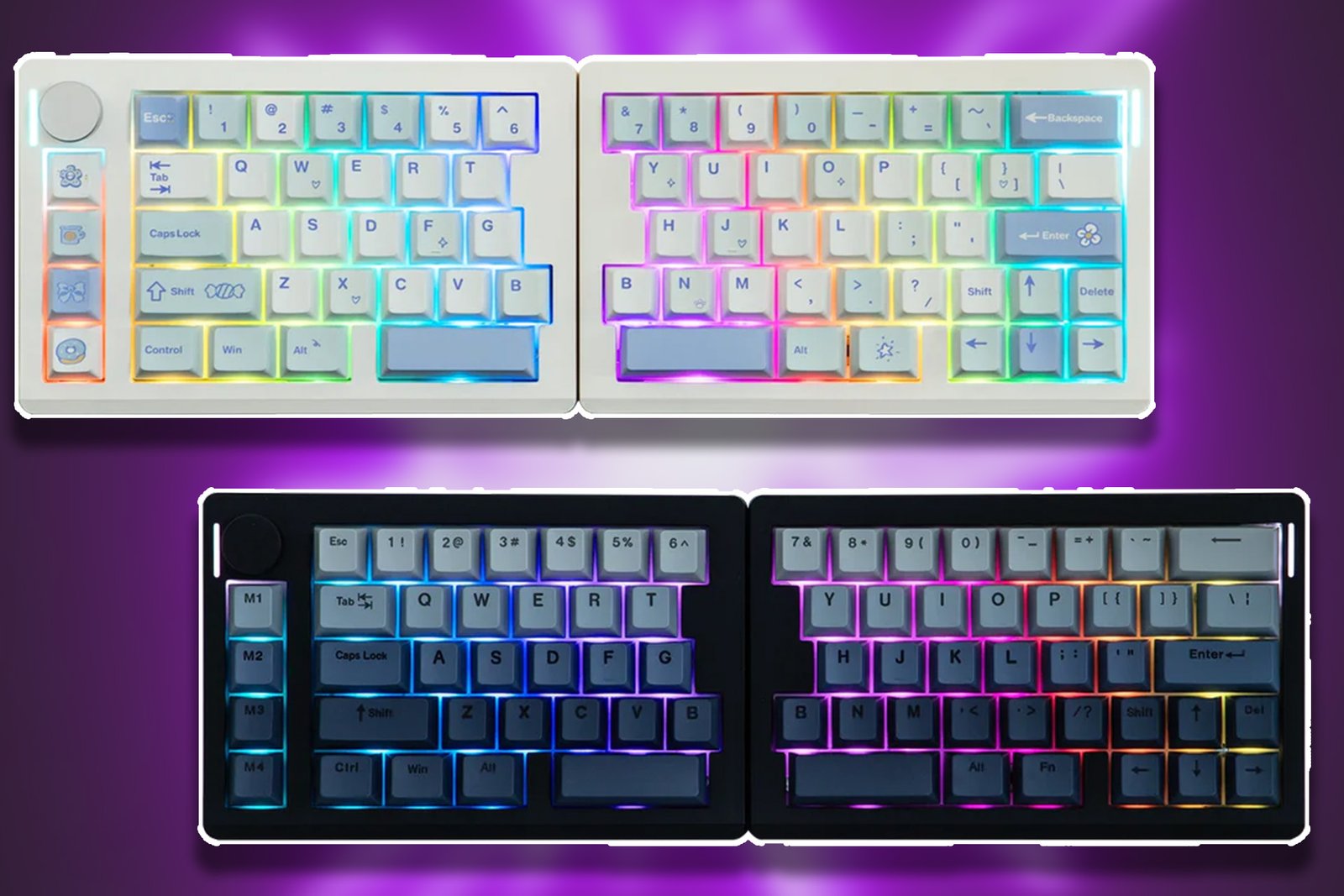
I’ve always found myself curious about those tiny, half-keyboards designed specifically for gaming. On the other hand, though, I’ve never been able to justify that sort of purchase because, well, my daily work pretty much relies on having a full keyboard to type on.
For this reason, I found myself highly intrigued and eager to dive in when I was given the opportunity to review EPOMAKER’s Split70 model – a keyboard that manages to do both of these things. The Split70, as the name suggests, can be split in half and reconnected into a full 70% layout keyboard all in the blink of an eye. It almost seemed too good to be true, until I witnessed the product in action.
*I received the EPOMAKER Split70 (black) for free to review. Below are my genuine, honest thoughts of the product based on hands-on experience.
What is Included With the EPOMAKER Split70?
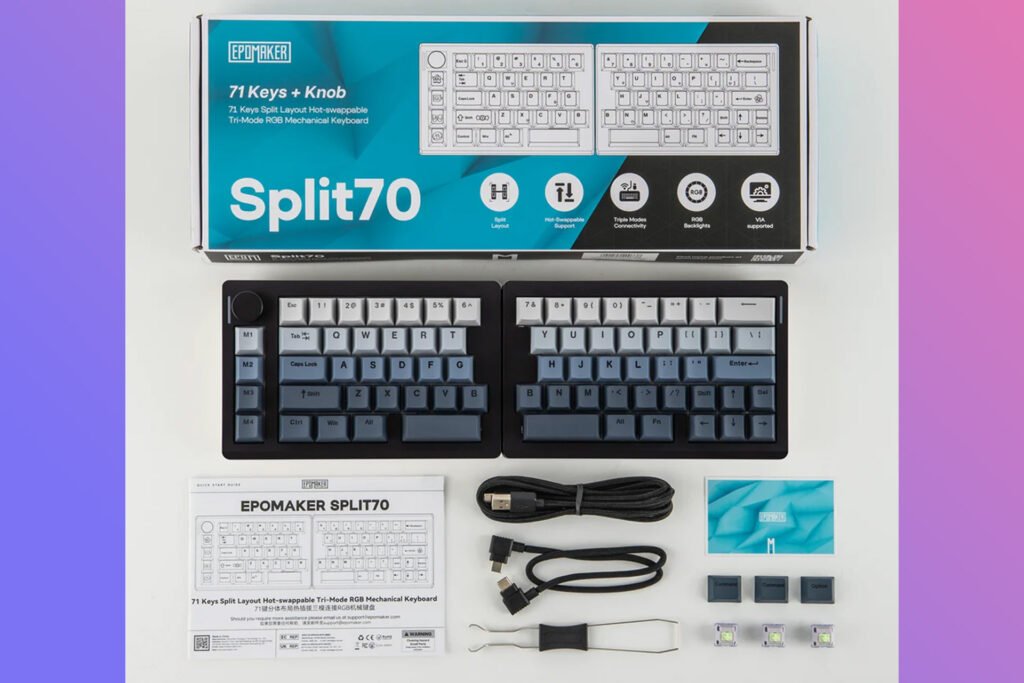
Here’s a list of everything included in the EPOMAKER Split70 packaging:
- 1x Split70 Mechanical Gaming Keyboard
- 1x Multilingual Manual in English, German, French, Spanish, Italian, Korean, Japanese, and Chinese
- 1x Quick Start Card
- 3x Keycaps for Mac
- 3x Extra Switches
- 1x 2-in-1 Switch-and-Keycap Puller
- 1x USB A-to-C Cable (Device to Keyboard)
- 1x USB C-to-C Cable (Left Half to Right Half)
A Keyboard Build For Comfort & Customization
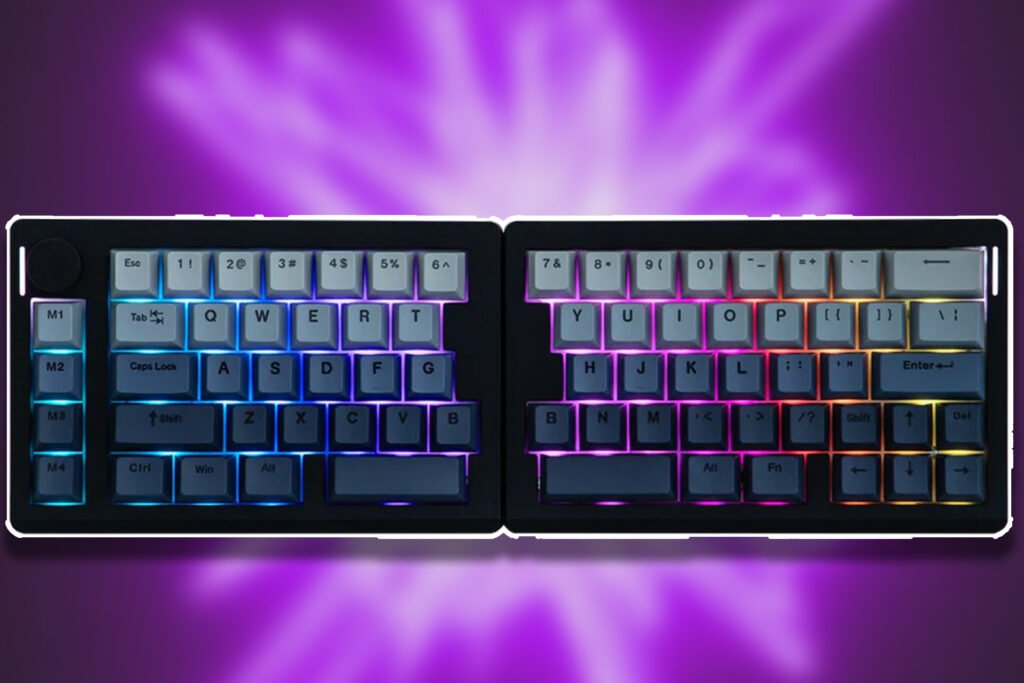
This is my first split keyboard I have ever tried and I can say without a doubt that at least when it comes to gaming I am never going back. I play a lot of hero shooters such as Overwatch and Marvel Rivals, and I have always struggled with discomfort in my wrist from sitting funny against the keyboard and trying to stretch my fingers across different keybinds at a moment’s notice.
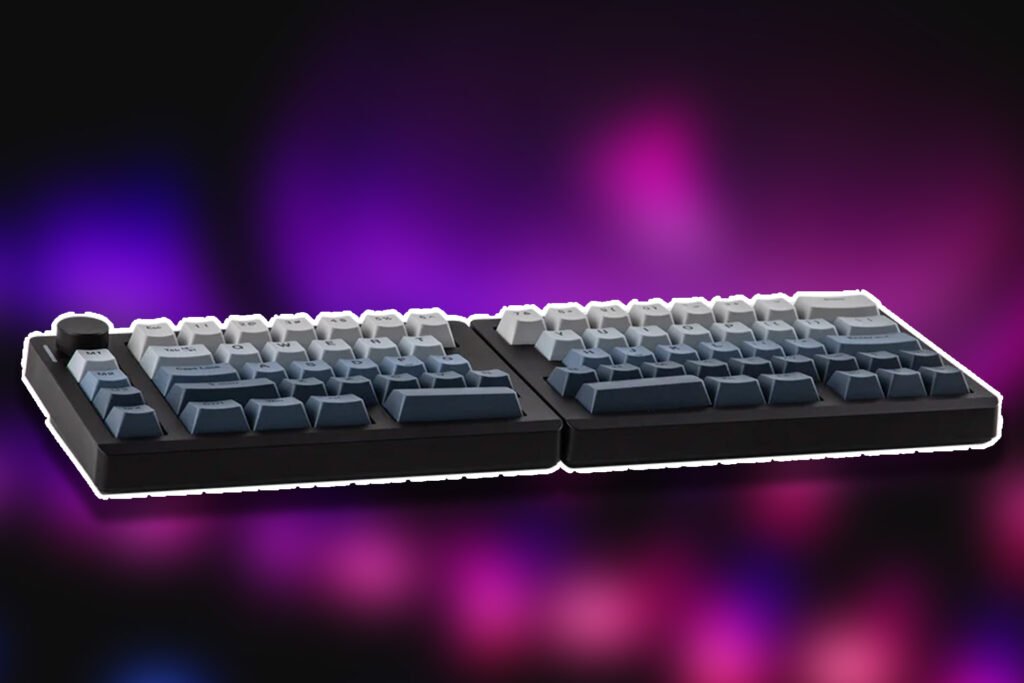
The split70 was an absolute game-changer. I can simply split it in half, rotate the left side as needed so I have my WASD and important keybinds all comfortably within reach, and then move the right side over as needed, which also gives me more room for my mouse.
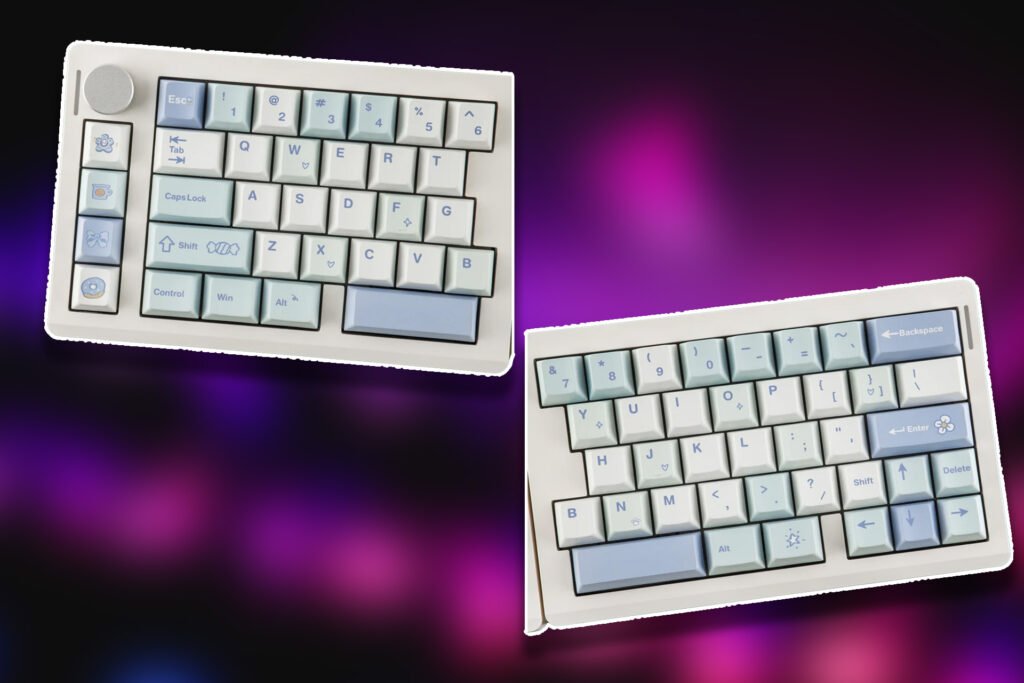
The keys themselves are very nice and satisfying to use and type with, feeling light and, more importantly, not too loud or ‘tappy’. The padding of the keyboard ensures the keys always sound more subtle, even with rapid typing or a panic mash during gameplay.
Having a volume dial on the keyboard is a very nice inclusion, letting you fine-tune your gaming audio, music, or anything else volume-related at a moment’s notice. I actually found myself surprised with how often I ended up using this feature.
The dynamic RGB included in the keyboard design looks quite nice; it’s not too harsh or distracting such as some other keyboard lights can be. I enjoy how it lights up my desk space slightly during a late-night gaming session with my friends. It’s nice that you can toggle the RGB effects and completely customize the saturation, speed, and brightness with a few simple clicks and taps, too.
You can tailor the EPOMAKER Split70 to all sorts of needs beyond just gaming, too, thanks to keybind and macro features. This means repetitive tasks such as copying and pasting throughout work hours for example, can be done with the push of one simple button. No need for any right click or CTRL + C.
There are three different ways to connect the EPOMAKER Split70 and get it going: Bluetooth, 2.4g, and USB-C plug and play. If you want to use both sides of the Split70 at once, simply attach the additional connection cable to each half, and you’re good to go!
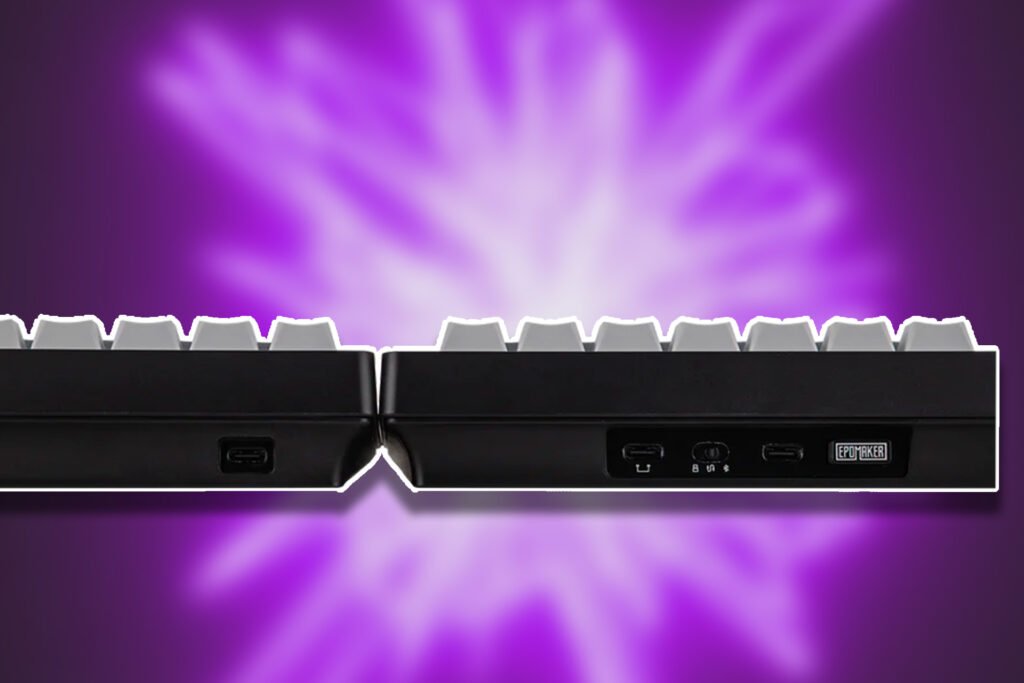
Impressively, this keyboard can pair and connect with up to five different devices at once. Need to switch between your laptop/PC, iPad/tablet, or even your phone? The Split70 has you covered. I really love the freedom of this keyboard.
From being able to move the two halves around as needed or even connect them back together with one simple movement, to the flexibility of being able to use it across different devices without disconnecting or reconnection, it has been manufactured with the user in mind.
The two halves are magnetic, so they simply ‘snap’ together when pushed close. From typing at various angles and being able to switch them on the fly to ditching the second half of the keyboard for a solid gaming session with more space makes the keyboard so appealing to use.
Again, my only trouble with it has been the keys themselves at first, simply because I was not yet used to the 70% layout, and I kept accidentally hitting the wrong ones to begin with. This was just out of habit as a result of being used to my older, much less versatile, and seriously less comfortable budget keyboard.
Despite receiving my review copy for free, I would absolutely without a doubt purchase an additional Split70 in the future with zero hesitations, considering the use can get out of this product for the price point.
EPOMAKER Split70 Details, Features, & Price
- Brand – EPOMAKER
- Model – Split70
- Layout – Ergonomic Keyboard, Split Keyboard, 70% Layout Mechanical Keyboard
- Number of Keys – 71 Keys and 1 Knob
- Battery – 3000mAh Rechargeable Battery
- Battery Life – 11 hours of continued use with the backlight on, and 260 hours of use with the backlight off
- Connectivity – 2.4Ghz Wireless, Bluetooth, and Cable Wired
- Compatibility – Mac/WIN/Android
- Keyboard Dimensions – 18.4+18.8cm in Length (left+right), 11.8cm in Width, and 4cm in Height
- Case Material – ABS Plastic
- Plate Material – PC Plate
- Flex-Cut – No Flex-Cut
- Stabilizers – Plate-Mounted Stabilizer
- Mounting Structure – Gasket-Mount
- Sound Dampening – 5 layers including Sandwiched Latex, IXPE Switch Pad, PET Sound-Enhancement Pad, Bottom Sponge and Bottom Silicone
- Keycaps Profile – Cherry Profile
- Keycaps Material – PBT Keycap
- Keycaps Manufacturing Technique – Dye Sublimation
- Hot-swappable – Yes, the Split70 Keyboard is hot-swappable with mechanical switches
- RGB Backlight – yes, dynamic RGB Backlight with south-facing per-key LEDs
- Polling Rate – 1000hz in Wired or 2.4Ghz Wireless Mode and 125hz in Bluetooth Mode
- Latency – 3ms in wired mode, 5ms in 2.4Ghz wireless mode, and 15ms in Bluetooth mode
- Anti-Ghosting – Yes, Split70 Keyboard supports N-Key Rollover
- Keyboard Weight – 890g
- Front Height – 2.1cm
- Typing Angle – about 7 degrees
- Kick-Stand – No Kick-Stand
The EPOMAKER Split70 sits at a rather generous, fair price ($115.99 USD) considering the amount of versatility this keyboard has going for it. There are also two different variants to choose from (white or black) enabling you to match it to the rest of your setup or personal preferences.
It’s an essential must-have part of my gaming setup now, and is quickly working its way into my daily work routine as my primary all-rounder keyboard. This thing is without a doubt the most comfortable keyboard I have typed on – and that’s before you even split the thing into two for further adjustment!
The EPOMAKER Split70 can be purchased from EPOMAKER’s official website at the price of $115.99 USD.