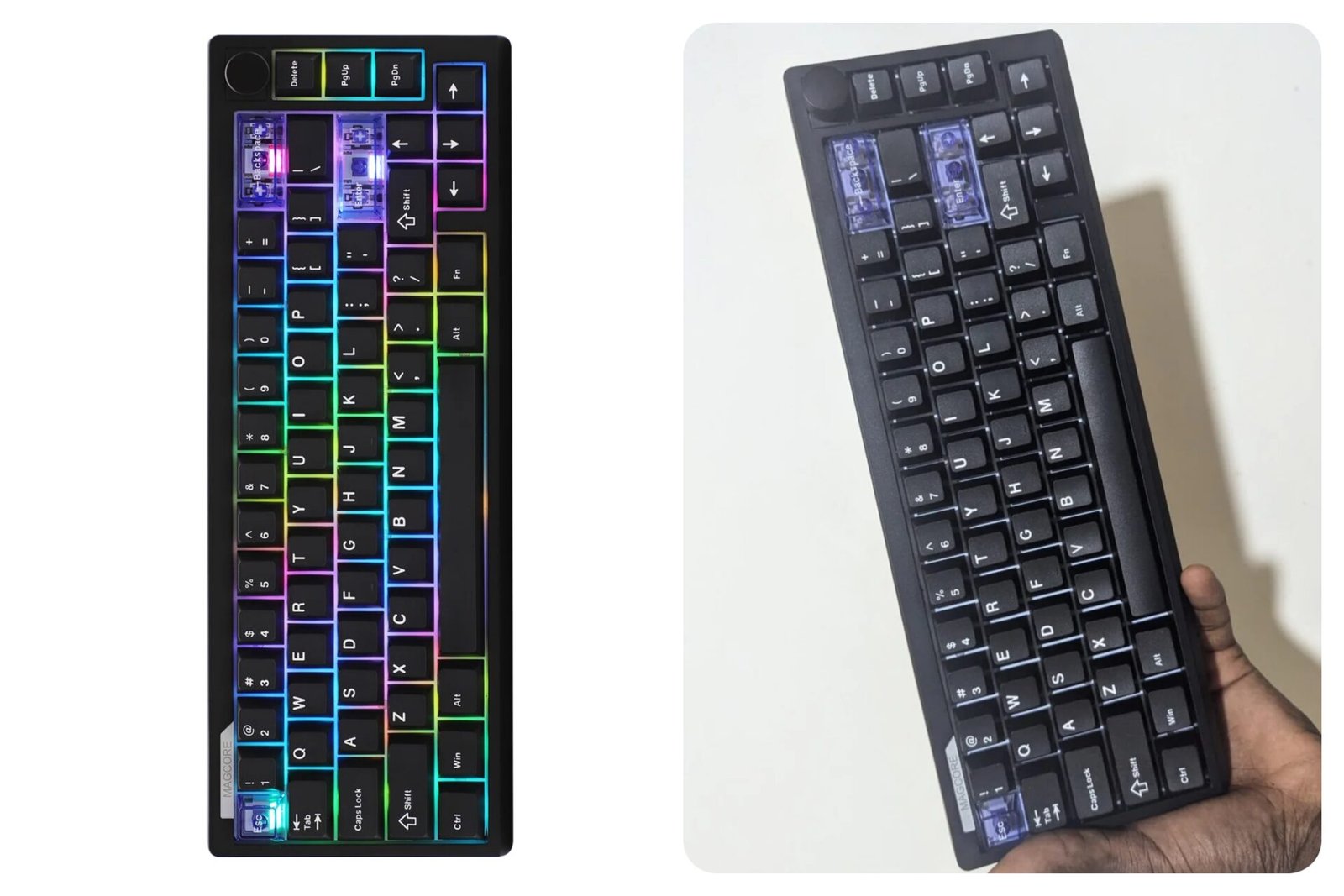
Every KBM (keyboard and mouse) gamer knows that a keyboard can make or break your gaming session. When you’re mid-match, the last thing you want to think about is missed inputs, mushy keys, or a layout that just doesn’t feel right.
A good keyboard should disappear once your hands hit it and just do its job, whether you’re sweating through ranked games on Fortnite or casually grinding with friends. That’s what got me interested in the Epomaker Magcore65 Lite, and shoutout to Epomaker for sending me a piece to review.
I’ve had the keyboard on my desk for a bit now, using it for gaming, typing, and everyday tasks to see how it actually holds up outside of spec sheets and marketing claims. So, in this review, I’ll break down the design, features, performance, software, and finally, the price. Starting off, let’s talk about the specs and what you get out the box.
Epomaker Magcore65 Lite Specs & Box Contents
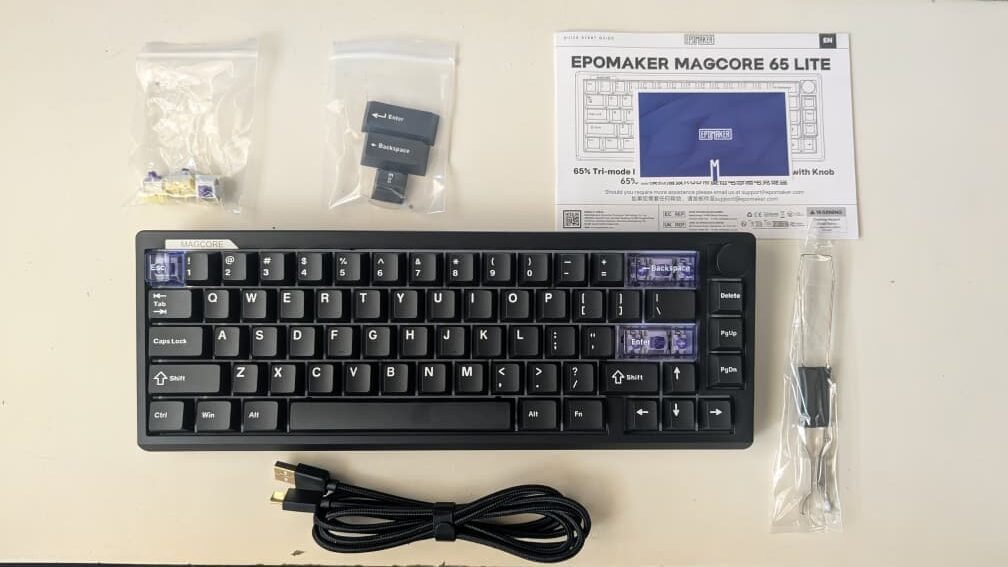
Layout & Build: 65%, 66 keys, ABS case, FR4 plate, gasket mount, plate stabs, 750g, 323.7×117.7×43.2mm, 21.5mm front height, typing angles 6°/9.5°/13.5°
Switches: EPOMAKER Core inductive analog linear, 0.1–3.4mm adjustable actuation, 3.5mm travel, 80M lifespan, POM housing & stem, SUS304 spring, aluminum induction metal, hot-swappable (Epomaker only)
Sound & Keycaps: Latex+IXPE+PCB+silicone dampening, Cherry-profile PBT+PC keycaps, double-shot black & silk-screen blue, south-facing per-key RGB
Connectivity & Speed: USB-C wired, 2.4GHz, Bluetooth (3 devices), 8KHz polling wired / 1KHz 2.4G / 125Hz BT, 0.125ms wired latency / 5ms 2.4G / 15ms BT, full N-key rollover
Battery & Support: 4,000mAh, up to 66h, Windows/Mac/Android
In the Box: Keyboard, USB cable, manual, quick start card, switch & keycap puller, 3 extra switches, 3 extra keycaps
Design and Build Quality
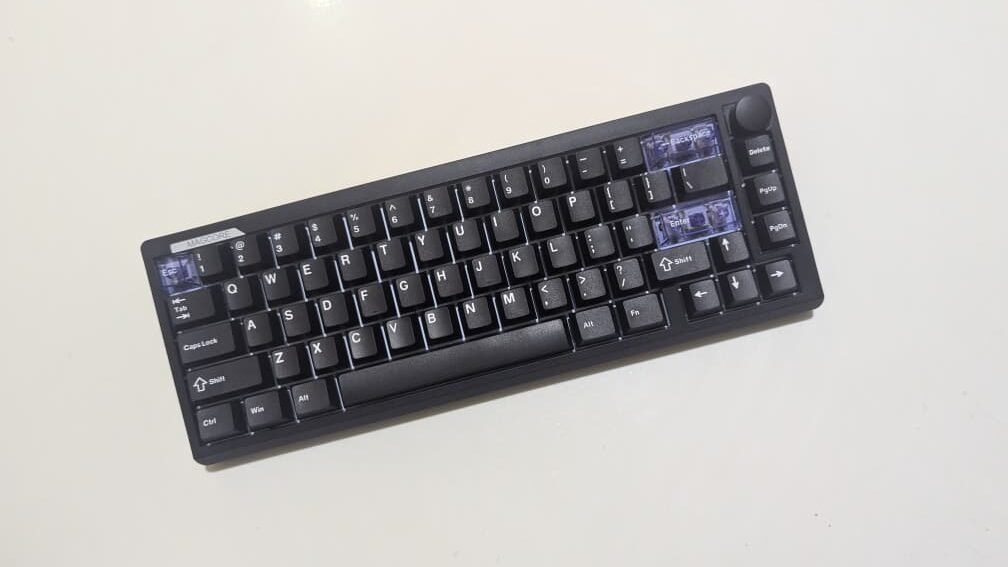
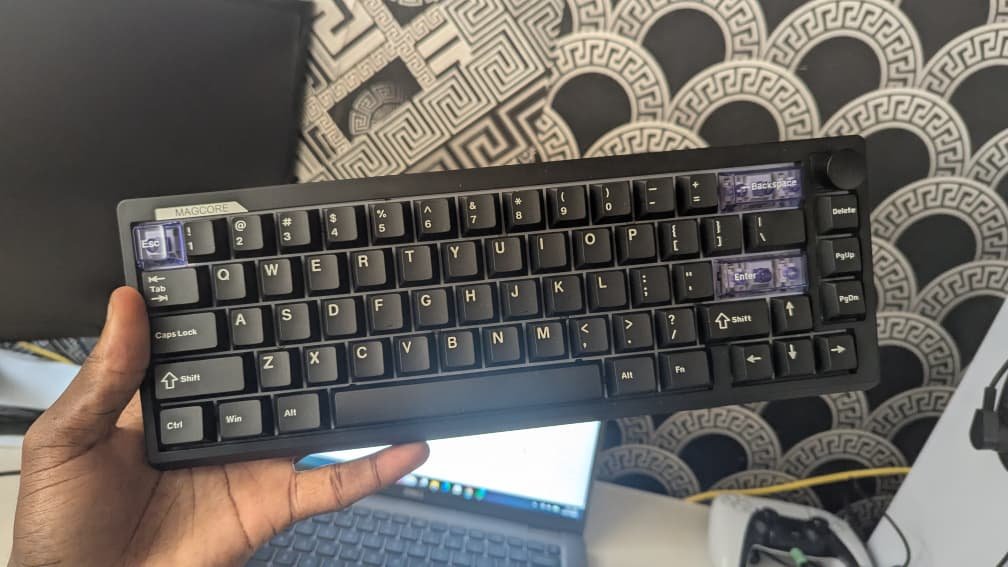
At first glance, the Epomaker Magcore65 Lite doesn’t scream “gaming keyboard,” and I actually like that about it. It only comes in black, and with the RGB turned off, it can easily pass as a professional keyboard on a work desk. The Esc, Backspace, and Enter keys come in a transparent color, which adds a bit of contrast and character.
But, if you want a fully all-black look, Epomaker includes replacement black keycaps for those specific keys, so you can easily swap them out.
That said, this is a 65% layout, so there’s no dedicated number pad, and honestly, that’s expected. With 66 keys in a compact QWERTY layout, the keyboard is clearly aiming for portability and desk space savings with its 323.7 x 117.7 x 43.2 mm size.
The keyboard uses an plastic case, and while it doesn’t feel premium in the way metal keyboards do, it still feels sturdy. One thing that surprised me was the weight, coming in at about 750g. It’s a bit heavy for a keyboard this size, but since it’s mostly going to sit on a desk, the weight isn’t really an issue. If anything, it helps keep the keyboard planted during intense gaming sessions.
One nice touch up top is the knob at the top right of the keyboard. It lets you control your PC’s volume, and even though it sounds like a minor feature, it’s actually super convenient. I ended up using it more than I expected, especially when jumping between games, music, and voice chat.
Typing and Gaming Performance
In actual use, the Magcore65 Lite feels exactly like what it’s marketed as: an analog gaming keyboard that blends hall effect technology with a more familiar mechanical-style feel. I spent some time playing Overwatch 2 with the keyboard, and it held up really well. Movement felt precise, rapid inputs were consistent, and I never felt like the keyboard was holding me back in clutch moments.
The analog nature of the key switches gives it that smooth, “buttery” feel during quick strafes and repeated key presses. I did find the keys to be a bit noisy while using it, especially during faster typing or intense gaming sessions.
It’s not overly loud or annoying, but it’s definitely something you’ll notice if you’re coming from a quieter board or if you game in a shared space. On the flip side, Epomaker includes three extra switches in the box, along with a 2-in-1 switch and keycap puller, just in case you ever need to replace a faulty switch.
The Magcore65 Lite is hot-swappable, which is always nice to see, but it only supports its own inductive switches. You can’t swap in standard mechanical or other magnetic switches.
Hall Effect Switches and Actuation Features
This is honestly where the Magcore65 Lite starts to feel a little crazy. It uses a web-based software, and once I jumped into it, I realized just how much control Epomaker gives you. There’s a lot to mess with here, and if you’re the type who enjoys dialing everything in just right, this keyboard gives you plenty to play with.
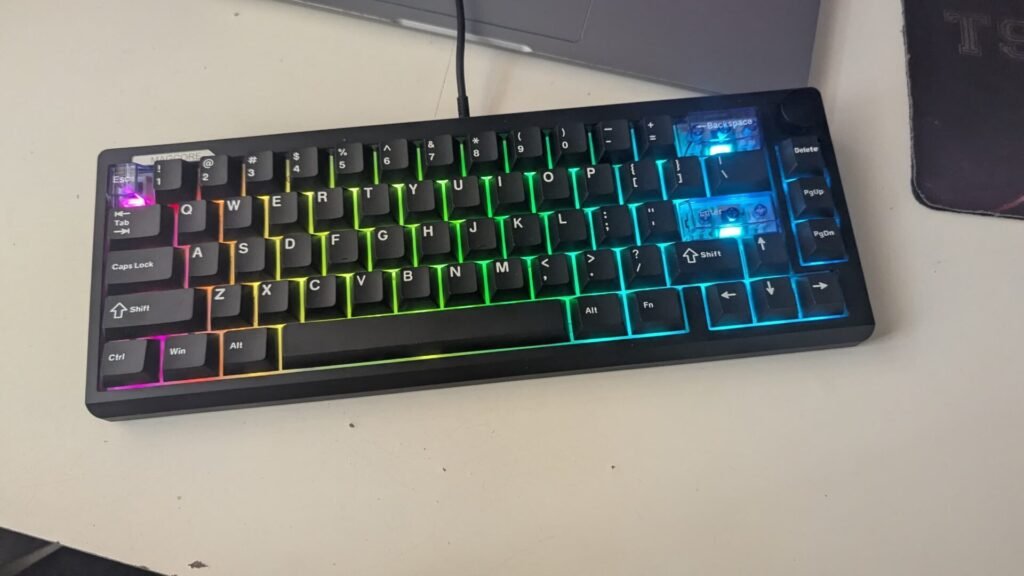
From the software, you can fully customize the per-key RGB lighting. You can change colors, effects, brightness, or just shut it off completely if you want a no-RGB setup. A lot of basic lighting controls can also be handled straight from the keyboard using Fn key combos, which I appreciated. For example, Fn + X turns the RGB on or off, and Fn + Enter lets you change lighting colors. It’s quick, simple, and means you don’t always have to jump into the software.
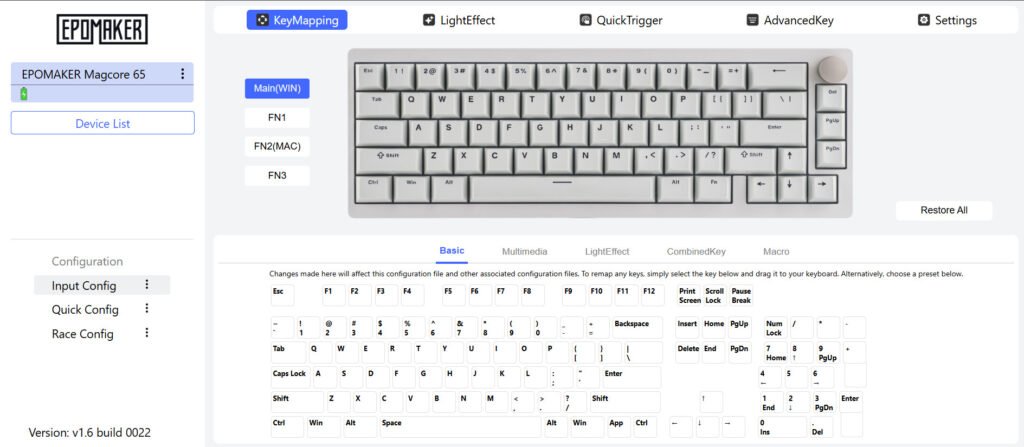
RGB aside, the software is also where you get access to the keyboard’s more advanced features, like macros, SOCD, and DKS. On a technical level, this stuff is impressive and really shows what modern keyboards are capable of. You can fine-tune how individual keys respond, stack multiple actions onto a single press, and tailor the board to very specific games or playstyles
However, these features are often considered cheating in competitive gaming, as they provide an unfair advantage by handling complex inputs for you. Because of this, major titles and tournament organizers have started banning them. Valve, for example, has banned their use in Counter-Strike 2.
Sure, they’re totally fine for casual play, single-player games, or just experimenting, but I wouldn’t touch them in a serious competitive space. And beyond that, the software also lets you remap keys and adjust actuation distances to your exact preference.
Connectivity and Battery Life
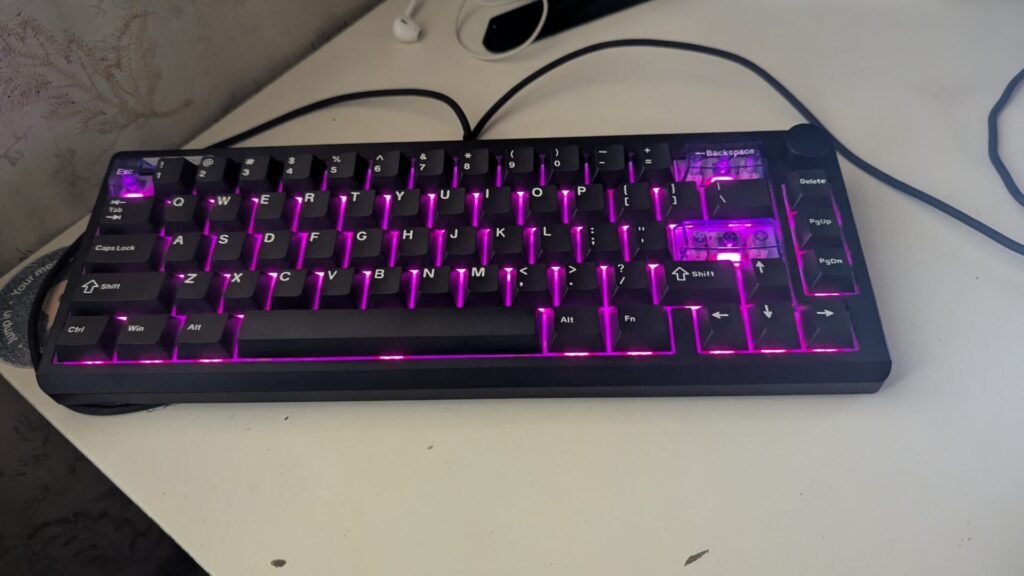
This is a tri-mode keyboard, so you can use it wired, Bluetooth, or 2.4GHz wireless. It comes with a USB-A to USB-C cable for wired use, and it also includes a USB wireless receiver for the 2.4GHz connection.
In wired mode, Epomaker claims you can get as low as 0.125ms latency, and while I can’t measure that myself, the keyboard feels extremely responsive. Inputs register instantly, which is exactly what you want in fast-paced games.
Meanwhile, over Bluetooth, you can pair and switch between up to three devices across various operating systems. At the top of the keyboard, you’ll find the physical switch used to toggle between connection modes, alongside the port that stores the USB receiver right next to the USB-C charging port.
In terms of battery life, the Magcore65 Lite comes with a 4000mAh battery, and Epomaker says it can last up to 66 hours of use on a single charge.
Pros and Cons
| Pros | Cons |
| Affordable price | Keys can be a bit noisy during heavy use |
| Smooth, responsive key feel with adjustable actuation | Only compatible with its own switches |
| Tri-mode connectivity (wired, Bluetooth, 2.4GHz wireless) | |
| Online software offers deep customization options | |
| Clean design that works for gaming or work |
Price and Value
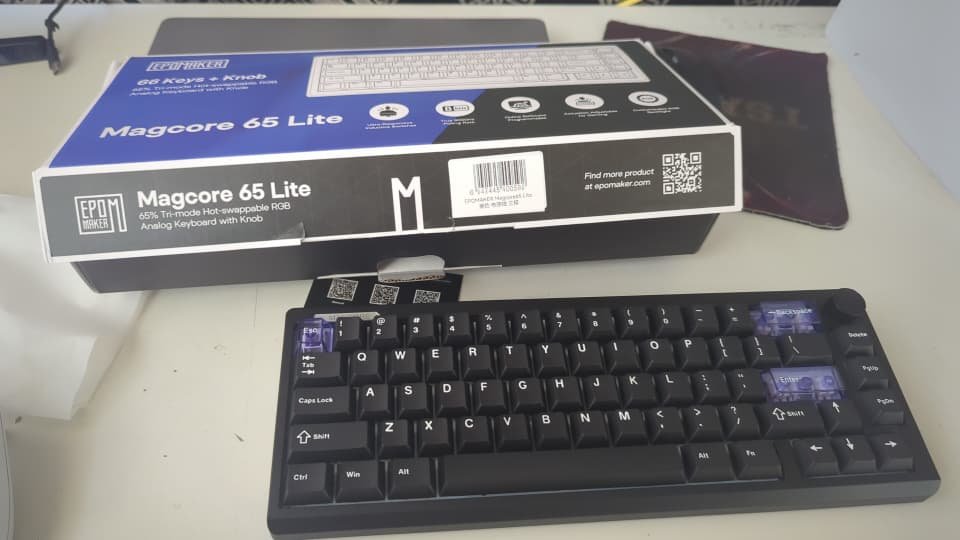
The Epomaker Magcore65 Lite comes in at $79.99, and for what it offers, that price feels pretty reasonable if you ask me. Analog keyboards usually cost more than standard mechanical boards, so seeing hall effect switches, tri-mode connectivity, and this level of customization under $100 is honestly impressive.
Inside the box, you get everything you need to get started, plus a few nice extras. Along with the keyboard itself, Epomaker includes three extra switches, a 2-in-1 switch and keycap puller, a USB-A to USB-C cable for wired use and charging, and a set of black replacement Esc, Backspace, and Enter keycaps. There’s also a manual to walk you through the basics. It’s a solid bundle, and I like that Epomaker clearly expects users to tinker and customize.
Is the Epomaker Magcore65 Lite Worth It?
After spending time with the Epomaker Magcore65 Lite, I walked away pretty impressed. It delivers a level of speed, customization, and flexibility that I honestly didn’t expect at this price. The switches feel smooth, it performs great in fast-paced games, and the tri-mode connectivity makes it easy to use across different setups.
The keyboard isn’t flawless, though. The keys are a bit louder than I’d like, and it’s only compatible with its own switches. But if you’re like me and enjoy tweaking settings, experimenting with actuation, and trying out new tech without spending a fortune, this keyboard is a lot of fun to use.
Overall, the Magcore65 Lite feels like a solid choice for gamers who want something fast, customizable, and different, without paying premium keyboard prices.
Disclosure: Epomaker has not sponsored this review, but Ouwaseun received this product complimentary from Epomaker. This review does not contain affiliate marketing links.