Most of us repeat the same phone actions every day without thinking about them. We turn off Wi-Fi when leaving home, silence notifications before bed, or manually open the same apps at the same times. These habits feel small, but they add up.
While Android already includes a few basic automation features, they only scratch the surface of what’s possible. You can schedule Do Not Disturb to turn on at night or let adaptive brightness adjust your screen based on lighting. Useful, yes, but limited.
True automation comes from apps that let you build routines around how you actually use your phone. That’s why we put together six automation apps for Android devices that are either completely free or offer a free version.
Samsung Modes and Routines
Built-In Automation for Galaxy Phones
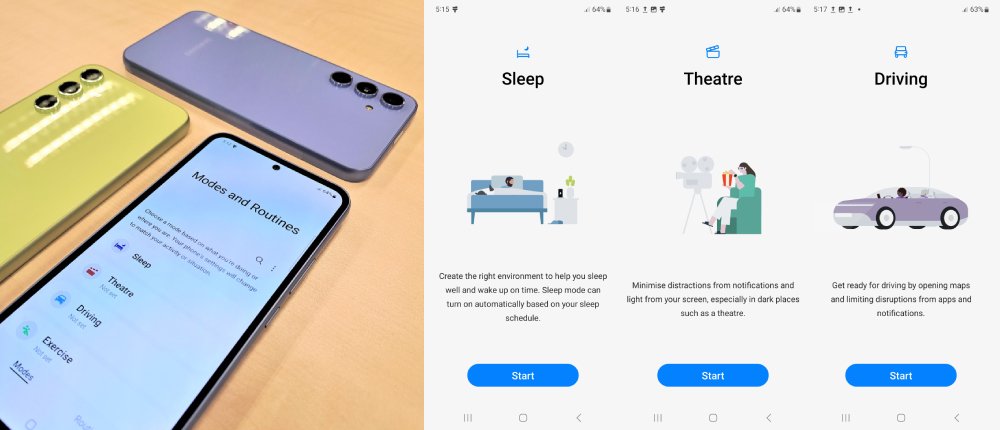
Samsung Galaxy users don’t need to look far for powerful automation, as they already have one baked into their phones, well, some of their phones. Modes and Routines, previously known as Bixby Routines, come built into One UI 5.1 and work on most Galaxy devices from the S23 series onward, plus select A series models.
You can find the feature in the settings if you use any of the supported devices. And as the name suggests, the tool splits into two sections. Modes allow you to create preset profiles like Sleep, Work, or Exercise that bundle settings together.
Routines, on the other hand, are custom automations you build from scratch using triggers and actions. You basically pick what starts the routine (time, location, app launch, charging status, WiFi connection) and decide what happens next (adjust volume, toggle settings, open apps, control smart home devices).
Action Blocks
One-Tap Android Automation Using Google Assistant
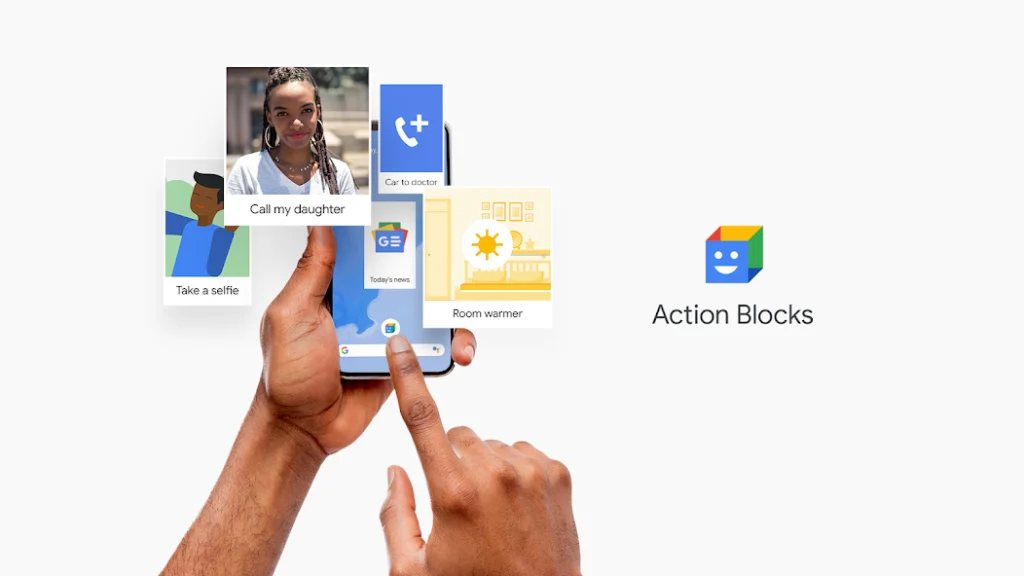
Sometimes the simplest solutions come from unexpected places. Google built Action Blocks as an accessibility tool for users with cognitive or motor disabilities, but honestly, anyone can use it to make daily tasks way easier. The app creates customizable shortcuts on your home screen that do complex stuff with a single tap.
So, instead of opening apps, navigating menus, and tapping through options, you just hit one button, and everything happens automatically. The app runs through Google Assistant, so any command Assistant understands becomes a potential action block.
You can create blocks for calling specific contacts, navigation to places you visit often, playing your favorite playlist, sending preset texts, or controlling smart home devices. Each block sits on your home screen with a custom image, making them super easy to spot.
Automate by LlamaLab
Advanced Android Automation With Flowcharts
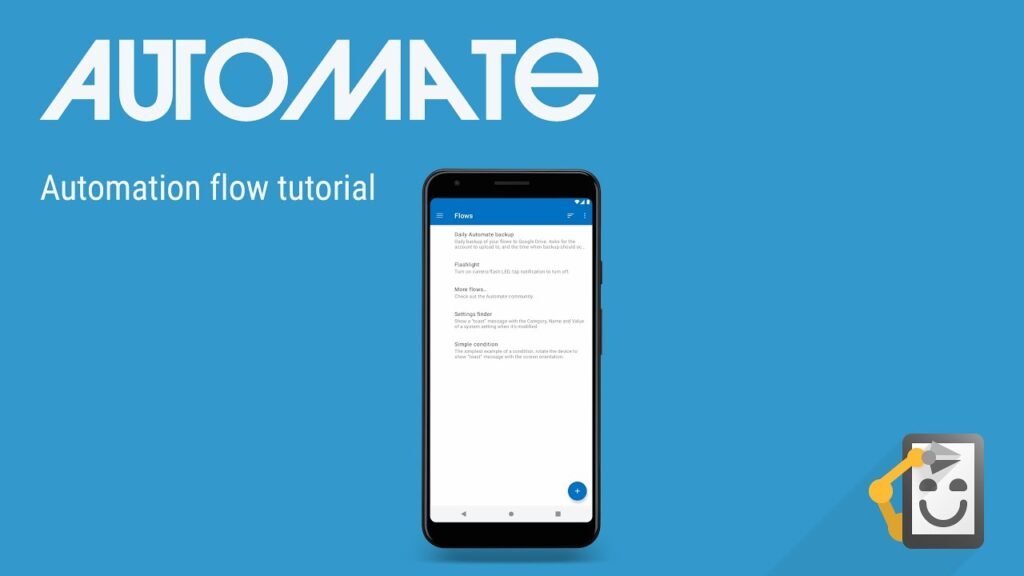
Some automation apps hide their complexity behind simple menus, but Automate takes the opposite approach by showing you exactly how your routines work through a visual flowchart interface. You drag and drop blocks, connect them together, and watch your automation logic laid out like a diagram.
The flowchart style might look intimidating at first, but it actually makes complex routines easier to understand and troubleshoot. Each block represents a trigger, action, or condition, and you connect them to create the flow of your automation.
For instance, if you want to auto-respond to texts while driving, drop in a block that detects your car’s Bluetooth connection, add a messaging block, connect them, and you’re done.
Automate offers over 320 building blocks covering everything from battery management and app interactions to location tracking and system settings. But the free version supports up to 30 blocks per flow, which handles most common automations without issues. If you want unlimited blocks for a more complex setup, you’ll need to pay for the premium plan.
aProfiles
Simple Profile-Based Automation for Android
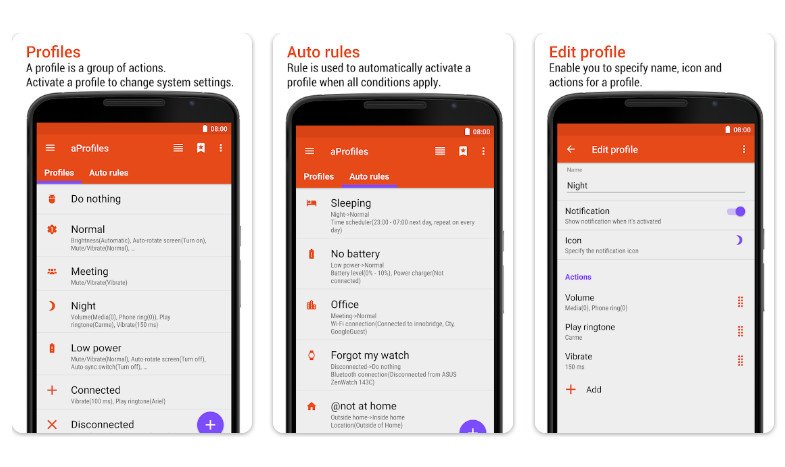
Not every automation app needs a million features to be useful, and aProfiles understands that. The app takes a simple approach by specializing in profile-based automation that switches your phone’s settings automatically based on time, location, Wi-Fi/Bluetooth connected to, e.t.c.
To get started, you create profiles for specific scenarios, such as a work profile that enables silent mode, turns WiFi on, and disables Bluetooth. Once you’ve built your profiles, the next step is creating rules that activate/deactivate them.
Although the free version limits you to 3 rules and includes ads, that works fine for basic setups. Besides, aProfiles supports various actions, including volume controls, connectivity toggles, brightness levels, and app launching, giving you plenty of options to customize each profile.
However, it tracks your location in the background to power features like location-based triggers, nearby WiFi detection, and Bluetooth proximity. This happens even when the app is closed, so keep that in mind if privacy is a concern.
IFTTT (If This Then That)
Connect Android Automation With Apps and Smart Devices
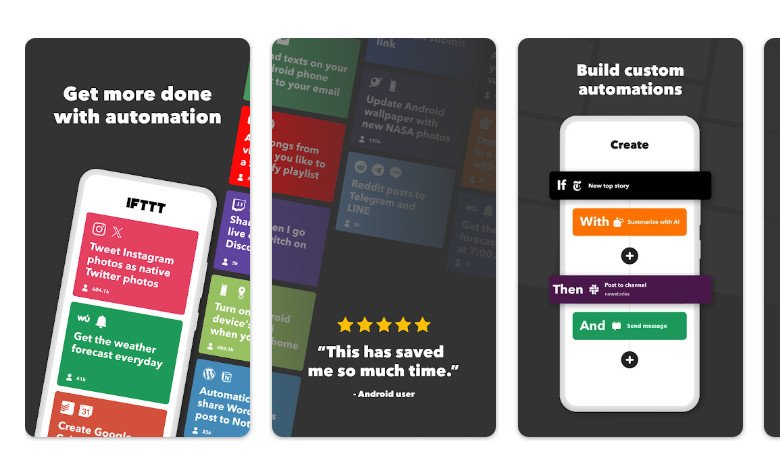
IFTTT basically invented the simple automation formula that tons of apps now copy. Its name is literally the whole concept: if this thing happens, then do that action. But where IFTTT really shines is its massive ecosystem of connected services.
We’re talking hundreds of integrations, including social media platforms, smart home devices, productivity tools, cloud storage, and way more. The app works through something called applets, which are pre-made or custom automations you activate with a tap.
The free tier gives you unlimited access to the community library, where people share applets they’ve created. However, if you would like to build your own applet from scratch, you’re limited to just two custom applets as a free user.
MacroDroid
Easy Yet Powerful Android Automation for Beginners

Finding the sweet spot between powerful and easy to use is tough for automation apps. Most go heavy on features but become confusing messes. MacroDroid nails the balance, which explains its devoted following.
The app calls its automations “macros,” which work through a simple three-part structure which are triggers, actions, and constraints. Triggers start the automation (headphones connected, battery below 20%, specific time)and actions are what happen next (launch music app, enable battery saver, adjust volume.
Meanwhile, constraints add conditions that must be met for the macro to run (only on weekdays, only at home). MacroDroid offers over 100 triggers, actions, and constraints to mix and match.
Plus, there’s a template library full of pre-made macros you can import and tweak instead of building from scratch, similar to IFTTT. The free version caps you at 5 macros, which sounds limiting, but honestly covers essential automations for most people. If you want unlimited macros, you’ll need to pay for the premium plan.
Choosing the Right Android Automation App for Your Daily Routine
Most people don’t need their phones to feel smarter. They just need them to stop wasting time. That’s what good automation does: it quietly removes friction from habits you’ve already formed.
The key is starting small. Automate one routine you repeat every day and let it run in the background. Once you feel the difference, it becomes obvious why Android automation apps aren’t just productivity tools, they’re quality-of-life upgrades that make your phone work for you.